By Gaurav · · 33 min read
- servers
- networking
- infrastructure
- web
- dns
- webrtc
- devops
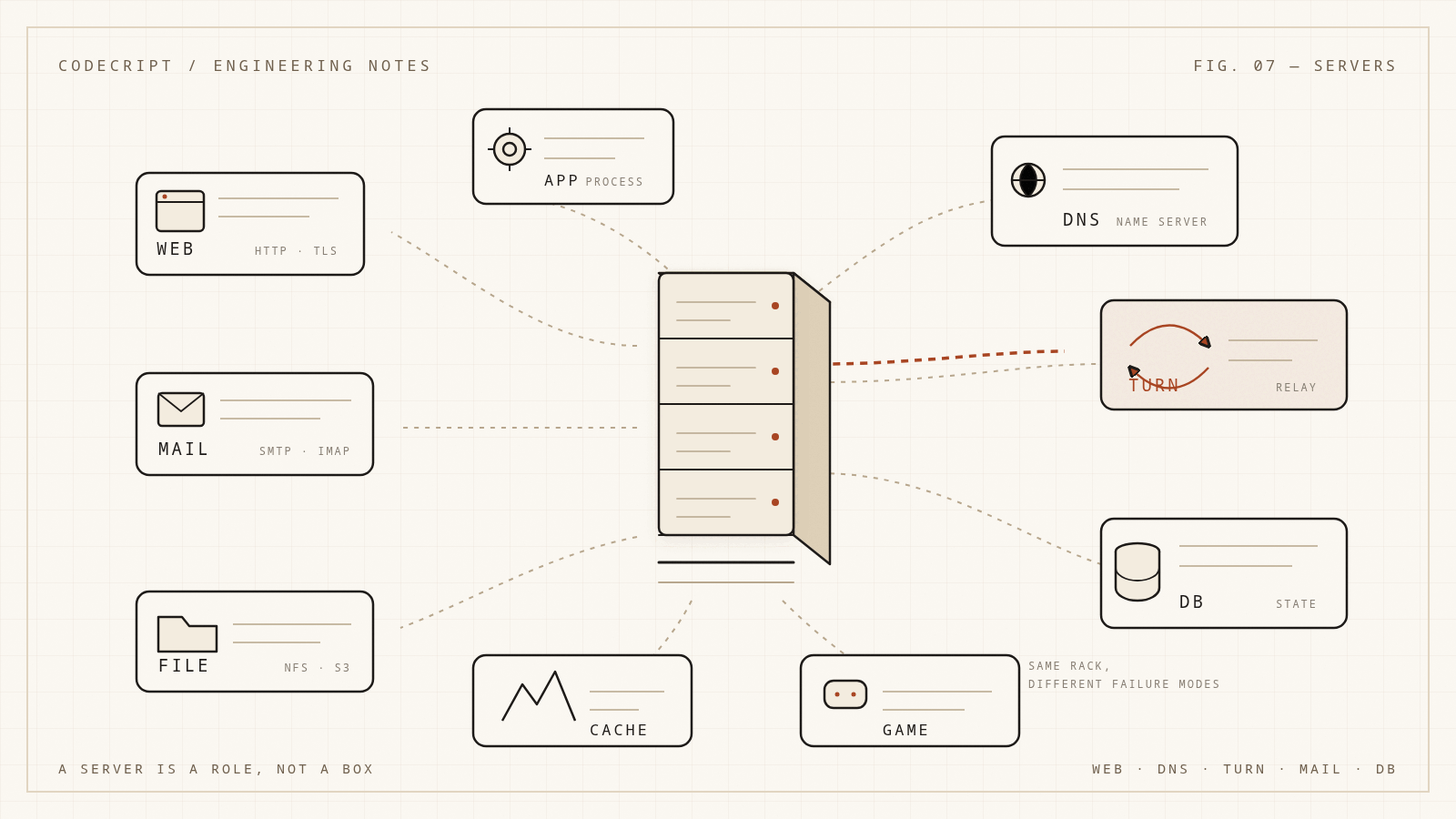
The word "server" hides almost everything useful about a system. A web server, a name server, a TURN server, a database server, and a build server are not the same kind of thing. They share a shape — a process listening on an address, speaking a protocol, owning some resource — and almost nothing else. One serves bytes from disk. One answers questions about names. One relays encrypted packets it cannot read. One holds the only copy of your data. One runs a compiler for a build that will never accept a connection.
That is why "we need a server" is not a specification. It is a starting point. The useful questions are: what does it serve, who is allowed to ask, what state does it own, what happens when it dies, and what does failure look like from the client's side?
This article builds a map of the server landscape. It starts with the only definition that survives production, then goes through the major families — web, application, database, DNS, TURN/STUN, mail, proxy, storage, cache, message, media, game, and the infrastructure servers people forget to count. The goal is not a list to memorize. It is a mental model that lets you look at an unfamiliar server and say what it is, what it is not, and where it will hurt first.
The only definition that survives contact with production
A server is a role, not a piece of hardware.
More precisely: a server is a process, or a group of processes, that listens on an address and answers requests in a protocol. The hardware is a host. The operating system is a host too. The process is the server. A single host can run many servers. A single server can span many hosts.
When a client connects, the kernel matches the connection to a listening socket using the four-tuple:
protocol, client IP, client port, server IP, server port
For TCP, the server calls listen() and then accept() in a loop. The kernel holds pending connections in a backlog queue until the application accepts them. That backlog is why a server can survive a short burst without accepting every connection instantly — and why it collapses when the queue fills.
A few consequences follow:
- A server can be a laptop. During development, your machine is the server. The role does not care about the case, the rack, or the invoice.
- A server can be a function. A serverless function is still a process somewhere, started on demand, answering a request. You have outsourced the host, not the concept.
- A server can be stateless. Many servers own no durable data; they translate a request into calls to other servers and return a response.
- A server can be a role inside a process. An embedded HTTP server in a Spring Boot or Go binary is still a server, even if nobody calls it one.
A useful shorthand is:
A server is a protocol plus a resource plus a failure mode.
The protocol tells you how to talk to it. The resource tells you what it owns. The failure mode tells you what breaks when it is overloaded, misconfigured, or unreachable.
Four axes that actually classify servers
Most "types of servers" lists mix categories. They put "web server" next to "Linux server" next to "cloud server" as if those were alternatives. They are different axes.
| Axis | Question | Examples |
|---|---|---|
| Role | What does it serve? | web, application, database, DNS, TURN, mail, file |
| Deployment shape | Where does it run? | bare metal, VM, container, PaaS, serverless, edge |
| Concurrency model | How does it handle many clients? | prefork, threads, event loop, worker pool, coroutines |
| State ownership | What survives a restart? | stateless, cache, durable state, coordination state |
A production server has a value on every axis. "Nginx on a VM in us-east-1 with an event-loop worker model and no durable state" is a complete description. "Web server" is not.
This matters because two servers with the same role can have completely different operational behavior. Nginx and Apache can both be web servers, but one scales with event-driven workers and the other may scale by forking processes. Redis and PostgreSQL can both hold state, but one is a cache with eviction and the other is a durability system with a write-ahead log. The label does not tell you how to run it.
The path a request takes
Most user-facing requests touch several servers before they touch an application.
flowchart LR
  U[User] --> R[Recursive DNS]
  R --> A[Authoritative DNS]
  U --> E[CDN / edge]
  E --> L[Load balancer]
  L --> W[Web server / reverse proxy]
  W --> P[Application server]
  P --> D[(Database)]
  P --> C[(Cache)]
  P --> Q[[Queue]]
  Q --> K[Worker server]
Each hop is a server with its own job:
- The recursive resolver finds the address.
- The authoritative name server is the source of truth for the zone.
- The edge terminates TLS, caches, and absorbs attacks.
- The load balancer chooses a backend and checks whether it is alive.
- The web server serves static assets or forwards dynamic requests.
- The application server runs the business logic.
- The database owns durable state.
- The cache absorbs reads.
- The queue decouples slow work.
- The worker does the slow work later.
Most production incidents are a failure at one of these hops, described by the symptom at another. A "slow website" can be a DNS timeout, a saturated load balancer, a blocked event loop, a database lock, or a TURN relay that ran out of bandwidth. The faster you can name the hop, the faster you can fix it.
Web servers
A web server is a server that speaks HTTP. That is the whole definition. Everything else — static files, TLS, virtual hosts, compression, reverse proxying, caching — is a feature layered on that protocol.
The core responsibilities are:
- Accept TCP connections and, usually, terminate TLS.
- Parse HTTP requests, including method, path, headers, and body.
- Decide whether to serve a file, run a handler, redirect, or forward the request upstream.
- Apply policy: authentication, rate limits, compression, caching headers, CORS, security headers.
- Return a response with a status code and a body.
A web server can be a static file server, a reverse proxy, or both. Nginx is famous for both. Caddy is both, with automatic TLS. Apache is both. IIS is both. The line between "web server" and "application server" is blurry because modern application frameworks often embed an HTTP server.
Static files are not trivial
Serving a file sounds simple until you have to do it safely at scale:
- Normalize paths so
../cannot escape the document root. - Map extensions to MIME types correctly.
- Handle range requests for large files and video.
- Set
ETagandLast-Modified, then answerIf-None-MatchandIf-Modified-Sincewith304. - Compress text with gzip or Brotli without compressing already-compressed media.
- Cache immutable, hash-named assets for a year and HTML for minutes.
- Avoid reading a 4 GB file into memory for every request.
- Use
sendfileor an equivalent zero-copy path where available.
A static file server is a correctness system before it is a performance system. The performance part is mostly about not copying bytes you do not need to copy.
Nginx, Apache, Caddy, IIS
| Server | Model | Strengths | Typical weak spot |
|---|---|---|---|
| Nginx | Event-driven workers | Static files, reverse proxy, high concurrency | Complex config, module behavior can surprise |
| Apache HTTP Server | Prefork / worker / event MPMs | Modules, .htaccess, broad ecosystem |
Per-connection memory with some MPMs |
| Caddy | Go, goroutine-based | Automatic HTTPS, simple config | Smaller ecosystem than Nginx |
| IIS | Windows integrated | Windows auth, ASP.NET integration | Windows-only operational model |
The model matters under load. A prefork server that dedicates a process per connection can run out of memory before it runs out of CPU. An event-driven server can hold many idle keep-alive connections cheaply, but one blocking handler can stall a whole worker. Neither is universally better; they fail differently.
A representative Nginx reverse-proxy configuration:
upstream app {
    least_conn;
    server 10.0.0.11:3000 max_fails=3 fail_timeout=10s;
    server 10.0.0.12:3000 max_fails=3 fail_timeout=10s;
    keepalive 64;
}

server {
    listen 443 ssl;
    http2 on;
    server_name example.com;

    ssl_certificate     /etc/letsencrypt/live/example.com/fullchain.pem;
    ssl_certificate_key /etc/letsencrypt/live/example.com/privkey.pem;

    client_max_body_size 10m;

    location /static/ {
        root /srv/www;
        expires 1y;
        add_header Cache-Control "public, immutable";
    }

    location / {
        proxy_pass http://app;
        proxy_http_version 1.1;
        proxy_set_header Host $host;
        proxy_set_header X-Real-IP $remote_addr;
        proxy_set_header X-Forwarded-For $proxy_add_x_forwarded_for;
        proxy_set_header X-Forwarded-Proto $scheme;

        proxy_connect_timeout 2s;
        proxy_send_timeout 10s;
        proxy_read_timeout 30s;
        proxy_buffering on;
    }
}
The settings that cause the most incidents are usually timeouts, body limits, and header buffers — not the load-balancing algorithm.
HTTP/1.1, HTTP/2, and HTTP/3
- HTTP/1.1 is text-based and typically one request at a time per connection. Pipelining exists but is rarely used. Keep-alive amortizes connection setup.
- HTTP/2 multiplexes many streams over one TCP connection, compresses headers, and avoids some application-level head-of-line blocking. It still inherits TCP-level head-of-line blocking when a packet is lost.
- HTTP/3 runs over QUIC and UDP. It moves stream multiplexing into the transport, reduces connection setup latency, and handles packet loss better on unreliable networks. It also changes how middleboxes see traffic, which is why some networks still block or throttle it.
For a content site, HTTP/2 or HTTP/3 plus a CDN is usually the right default. For internal service-to-service traffic, HTTP/2 is often unnecessary; a simple HTTP/1.1 connection pool with keep-alive is easier to reason about.
Where web servers break
- Worker exhaustion. Every worker is busy waiting on a slow upstream, and new connections queue.
- File descriptor limits. Each connection consumes an fd. The default limit is often too low for a busy server.
- Slowloris. A client opens many connections and sends headers slowly. Timeouts and connection limits are the defense.
- Request buffering surprises. Nginx buffers request bodies by default; a large upload can hit a temporary file or disk limit before your app sees it.
- Header size limits. Large cookies or JWTs exceed
large_client_header_buffersand produce 400s. - Upstream timeouts.
504usually means the app did not answer in time, not that Nginx is broken. - Trusting forwarded headers.
X-Forwarded-Foris only meaningful if the proxy is the only path to the app. Otherwise a client can spoof it.
[!WARNING] A reverse proxy that trusts
X-Forwarded-Forfrom the public internet is an authorization bug waiting to happen. Only trust forwarded headers from a known proxy, and strip them at the edge.
Application servers and "software servers"
"Software server" is not a formal category. People usually mean one of three things:
- A long-running daemon or service, as opposed to a CLI tool.
- An application server: a runtime that hosts business logic and exposes it over a protocol.
- A server that is defined in software rather than dedicated hardware — a VM, container, or function.
The second meaning is the useful one. An application server is where your code lives. It handles requests, enforces business rules, talks to databases and queues, and returns responses. It may embed an HTTP server, or it may sit behind a web server that forwards requests to it.
Examples:
- Java: Tomcat, Jetty, WildFly, Spring Boot's embedded Tomcat.
- .NET: Kestrel, IIS-hosted ASP.NET Core.
- Node.js: Express, Fastify, NestJS, or a bare
http.createServer. - Python: Gunicorn, Uvicorn, Hypercorn, Waitress.
- Ruby: Puma, Unicorn, Passenger.
- PHP: PHP-FPM behind Nginx or Apache.
- Go: the standard
net/httpserver inside a compiled binary.
A minimal Node.js server with a health endpoint and graceful shutdown:
import http from "node:http";

const server = http.createServer((req, res) => {
  if (req.url === "/healthz") {
    res.writeHead(200, { "content-type": "application/json" });
    res.end(JSON.stringify({ status: "ok" }));
    return;
  }

  res.writeHead(200, { "content-type": "text/plain" });
  res.end("hello\n");
});

server.listen(3000, "0.0.0.0", () => {
  console.log("listening on :3000");
});

process.on("SIGTERM", () => {
  // Stop accepting new connections, let in-flight requests finish.
  server.close((error) => process.exit(error ? 1 : 0));

  // Do not hang forever on a stuck connection.
  setTimeout(() => process.exit(1), 10_000).unref();
});
The graceful-shutdown part is not optional in a container orchestrator. A server that dies immediately on SIGTERM drops in-flight requests. A server that waits forever prevents a rolling deploy from completing.
Concurrency models
| Model | How it works | Good for | Failure mode |
|---|---|---|---|
| Prefork | One process per connection or worker | Isolation, legacy code | Memory per process |
| Thread per request | One OS thread per connection | Blocking code, simple mental model | Thread exhaustion, context switches |
| Event loop | One thread multiplexes many sockets | I/O-heavy workloads | One CPU-bound callback blocks everything |
| Worker pool | Fixed set of workers pulls jobs | Controlled CPU use | Queue latency when workers saturate |
| Coroutines / goroutines | Cheap user-space or runtime threads | High concurrency with blocking style | Scheduler and memory tuning |
| Actor model | Isolated actors with mailboxes | Fault isolation, state per actor | Mailbox backpressure and supervision design |
The event loop deserves special attention because it is easy to misuse. Node.js can hold tens of thousands of idle connections, but it cannot make a synchronous CPU-bound loop disappear. One while loop, one large JSON parse, or one synchronous crypto call blocks every connection on that event loop. The fix is to move CPU work to a worker thread, a separate process, or a queue. The event loop is a scheduler, not a queue; the details matter enough that they have their own article: The Event Loop Is a Scheduler, Not a Queue.
What a process manager actually does
In production, your application server is usually supervised by something:
- systemd on a VM.
- Kubernetes or another orchestrator in a cluster.
- PaaS runtimes such as Cloud Run, App Service, or Heroku.
- Process managers such as PM2 or Gunicorn's master process.
The supervisor's job is to restart crashed processes, forward logs, apply resource limits, expose readiness, and drain traffic before shutdown. If your app assumes it is the only thing running, it will behave badly under a supervisor.
Health checks come in two flavors:
- Liveness: is the process alive enough to keep? Failing it restarts the container.
- Readiness: can it serve traffic right now? Failing it removes it from the load balancer without restarting it.
A liveness check that calls the database is a bad idea. A brief database blip will restart every application instance at once.
Where application servers break
- Thread or worker pool exhaustion. Every request waits on a slow dependency, and the pool has no free slots.
- Connection pool starvation. The app has workers, but all of them are waiting for a database connection.
- Memory leaks. A long-lived process slowly grows until the OOM killer arrives.
- GC pauses. A stop-the-world collection can look like a network timeout to clients.
- Unhandled promise rejections. A background task fails silently, and the process exits or leaks.
- Cold starts. Serverless and scale-to-zero runtimes pay initialization cost on the first request.
- Synchronous I/O on an event loop. One blocked callback stalls every request.
- Naive retries. Retrying a non-idempotent request can duplicate a payment or an order.
Database servers
A database server is a state machine with a query interface. It parses queries, plans them, executes them, and manages durability, concurrency, and recovery. The interesting part is not "it stores rows." It is everything that happens when two transactions want the same row, when the disk fills, when a replica lags, and when the primary disappears.
Core components:
- Query parser and planner. Turns SQL into a plan, chooses indexes, estimates costs.
- Buffer pool. Caches pages in memory; the working set determines hit ratio.
- Write-ahead log. Makes changes durable before data pages are flushed.
- Concurrency control. MVCC, locks, isolation levels, deadlock detection.
- Replication. Ships changes to replicas for reads, failover, or geography.
- Background maintenance. Vacuum, checkpointing, compaction, statistics.
A primary/replica topology is common:
client -> primary (writes + strong reads)
              |
              +--> replica A (read-only, analytics)
              +--> replica B (read-only, failover)
Replication is not a backup. A replica that receives a destructive DELETE will happily apply it. Backups need their own retention, encryption, and restore drills.
Connection pooling
Every database connection costs memory and scheduling work. A busy application that opens a connection per request will hit max_connections long before it saturates the CPU. A pooler such as PgBouncer sits between the app and the database, multiplexes many client connections onto fewer server connections, and becomes the pressure valve for connection storms.
Pool sizing is capacity planning, not a magic constant. A small pool with fast queries beats a huge pool with slow ones. Too many connections can increase lock contention, context switching, and memory use.
Cache servers are database servers too
Redis and Memcached are often called caches, but they are servers with their own data model, persistence options, eviction policies, and failure modes. Redis adds data structures, Lua scripting, pub/sub, streams, and optional persistence. Memcached is deliberately simpler: a distributed key-value cache with eviction.
The important distinction is source of truth vs derived state. A cache may lose data on restart and recover from the database. A database may not. Treating a cache as durable state is how you get "the data disappeared after a deploy."
Where database servers break
- Slow queries. Missing indexes, bad statistics, or a plan that changes under load.
- Lock contention. Long transactions block writers; readers may block behind DDL.
- Replication lag. A read-after-write on a replica returns stale data.
- Split brain. Two primaries accept writes after a failed failover.
- Disk full. The database stops accepting writes, and the WAL cannot advance.
- Connection storms. An app restart opens thousands of connections at once.
- Vacuum or compaction debt. Bloat grows until performance collapses.
The indexing and MVCC articles go deeper on those failure modes: The Index Is Not a Magic Wand and MVCC Is a Time Machine With a Cleanup Problem.
Name servers (DNS)
A name server answers questions about names. It is one of the first servers a request touches and one of the last to be debugged. When DNS is wrong, everything looks wrong: the site is down, the certificate is invalid, the mail is missing, and the API is slow, all at once.
There are two main roles:
- Authoritative name server. Holds the records for a zone and answers with the truth. If it says
example.comis203.0.113.10, that is the answer. - Recursive resolver. Starts from the client's question, walks the delegation chain, and caches answers along the way.
The resolution path looks like this:
sequenceDiagram
  participant C as Client stub
  participant R as Recursive resolver
  participant Root as Root server
  participant TLD as TLD server
  participant Auth as Authoritative server
  C->>R: example.com A?
  R->>Root: example.com A?
  Root-->>R: referral to .com
  R->>TLD: example.com A?
  TLD-->>R: referral to ns1.example.net
  R->>Auth: example.com A?
  Auth-->>R: 203.0.113.10
  R-->>C: 203.0.113.10
The resolver caches each step for the record's TTL. That cache is why "DNS propagation" is a misleading phrase. Nothing propagates. Caches expire.
Records you should know
| Record | Meaning | Common mistake |
|---|---|---|
A |
IPv4 address | Pointing at a host you do not control |
AAAA |
IPv6 address | Publishing an address with no IPv6 route |
CNAME |
Alias to another name | Using one at the zone apex |
MX |
Mail exchanger | Missing priority or pointing at a host with no mail service |
TXT |
Arbitrary text | Assuming it is secret |
SRV |
Service location | Forgetting the priority/weight fields |
CAA |
Which CAs may issue certs | Locking yourself out of your own CA |
NS |
Delegation to name servers | Delegating to a server that is not authoritative |
SOA |
Zone authority and timers | Editing it without understanding negative TTL |
A zone file is a compact, high-leverage configuration:
$ORIGIN example.com.
$TTL 3600

@   IN SOA ns1.example.net. hostmaster.example.com. (
        2026110501 ; serial
        7200       ; refresh
        3600       ; retry
        1209600    ; expire
        300        ; negative TTL
    )

@       IN NS  ns1.example.net.
@       IN NS  ns2.example.net.

@       IN A     203.0.113.10
www     IN CNAME @
api     IN A     203.0.113.20
mail    IN A     203.0.113.30
@       IN MX 10 mail.example.com.
@       IN TXT "v=spf1 mx -all"
Useful commands:
dig example.com A
dig @1.1.1.1 example.com A
dig @ns1.example.net example.com SOA
dig +trace example.com
dig example.com MX
dig example.com CAA
TTLs and caching
A low TTL gives you faster failover and more query traffic. A high TTL reduces traffic but makes changes slower to take effect. The right answer depends on what you are changing:
- During a migration, lower the TTL well before the change.
- After the change, raise it again once the old records are gone.
- Do not use a 300-second TTL on a record that changes once a year.
- Remember that some resolvers ignore very low TTLs or cache negative answers.
DNSSEC, DoH, and DoT
- DNSSEC signs records so a resolver can verify they came from the zone. It prevents cache poisoning but does not encrypt queries.
- DNS over HTTPS (DoH) and DNS over TLS (DoT) encrypt the client-to-resolver connection. They do not make the authoritative data private; the resolver still sees the question.
- Anycast announces the same address from many locations. A query reaches the nearest instance, which improves latency and absorbs DDoS traffic.
Where name servers break
- Wrong delegation. The registrar points at a name server that does not serve the zone.
- Missing glue. A name server delegated inside the zone needs glue records at the parent.
- CNAME at the apex. Most DNS providers will not let you do it; the ones that do use proprietary flattening.
- Expired domain. The most expensive DNS outage is the one where the registrar already sent you three emails.
- DNSSEC misconfiguration. A broken signature makes the domain resolve as
SERVFAILfor validating resolvers. - Split horizon. Internal and external views diverge and nobody documents it.
- Search domains and
ndots. A short name may be tried with several suffixes before the real one, adding latency. - Open resolvers. A recursive resolver exposed to the internet is a DDoS amplifier.
- Port 53 filtering. Some networks block UDP/53 and force TCP/53 or DoH.
[!NOTE] When someone says "DNS propagation takes 24–48 hours," translate it to: "we set a long TTL, and some resolvers have not expired their cache yet." The fix is to plan TTL changes before migrations, not to wait and hope.
TURN servers (and STUN, ICE)
WebRTC is peer-to-peer in the happy path. Two browsers exchange media directly, which keeps latency low and server bandwidth near zero. The unhappy path is the reason TURN servers exist.
Most devices sit behind NAT. A browser knows its private address, but the other peer cannot route to it. To connect, the peers need a shared public address and a path through the firewalls between them.
Three protocols cooperate:
- STUN discovers the public address a peer appears to have from the outside.
- TURN relays media through a server when a direct path is impossible.
- ICE gathers candidates, tests pairs, and chooses the best working path.
STUN: what is my address?
A STUN server receives a binding request and replies with the source address it observed. That address is a server-reflexive candidate. It lets a peer tell the other side, "reach me at this public IP and port."
STUN does not relay media. It is a discovery service.
TURN: relay my packets
A TURN server allocates a relay address on behalf of a client. The other peer sends media to the relay address; the TURN server forwards it to the client over the allocation. The client sends media to the TURN server, which forwards it to the peer.
The allocation is keyed by the five-tuple and has permissions and channel bindings. TURN is stateful. It is not a stateless DNS-like lookup.
TURN runs on:
- UDP/3478 for the standard TURN service.
- TCP/3478 when UDP is blocked but TCP works.
- TLS/5349 for encrypted TURN, and often TLS/443 to look like ordinary HTTPS and survive restrictive networks.
The media itself is usually encrypted end to end with DTLS-SRTP. TURN forwards encrypted packets. It can see metadata — who is talking to whom, when, and how much — but not the content, assuming the application uses end-to-end encryption correctly.
ICE: choose a path
ICE gathers candidates:
- Host candidates: local interfaces.
- Server-reflexive candidates: public addresses discovered through STUN.
- Relay candidates: addresses allocated on a TURN server.
It pairs candidates from both peers, sends connectivity checks, and nominates a pair. Direct paths are preferred. TURN is the fallback when every direct pair fails or is too unreliable.
sequenceDiagram
  participant A as Peer A
  participant S as STUN
  participant T as TURN
  participant B as Peer B

  A->>S: Binding request
  S-->>A: srflx candidate
  A->>T: Allocate
  T-->>A: relayed candidate
  A->>B: candidates via signaling
  B->>A: candidates via signaling
  A->>T: send media
  T->>B: relay media
  B->>T: send media
  T->>A: relay media
When TURN is required
TURN is not a rare edge case. It is required for:
- Symmetric NAT, where the public port differs per destination.
- Corporate networks that block UDP or restrict outbound ports.
- Mobile carriers with carrier-grade NAT.
- Networks that block peer-to-peer traffic but allow HTTPS.
- Peers behind firewalls that cannot accept inbound connections.
If you deploy WebRTC with only STUN, some percentage of users will fail to connect, and the percentage will be higher on mobile and enterprise networks. A robust deployment needs TURN with UDP, TCP, and TLS/443 fallback.
A practical coturn configuration
# /etc/turnserver.conf
listening-port=3478
tls-listening-port=5349

fingerprint
lt-cred-mech
use-auth-secret
static-auth-secret=${TURN_SECRET}
realm=turn.example.com

external-ip=203.0.113.10
min-port=49160
max-port=49200

no-cli
no-tcp-relay

# Abuse and capacity guards
total-quota=1000
user-quota=12
bps-capacity=0

cert=/etc/letsencrypt/live/turn.example.com/fullchain.pem
pkey=/etc/letsencrypt/live/turn.example.com/privkey.pem
The static-auth-secret should come from a secret manager or an environment variable, not a committed file. A common pattern is time-limited credentials:
username = "<unix-timestamp>:<user-id>"
password = base64(HMAC-SHA1(secret, username))
The TURN server verifies the HMAC and accepts the allocation until the timestamp expires. This avoids shipping long-lived static credentials to browsers.
Capacity and cost
TURN is bandwidth-heavy because every relayed stream passes through the server twice from the server's perspective: ingress from one peer and egress to the other. Plan for:
- Bandwidth: audio is tens of kbps; video is hundreds of kbps to several Mbps per stream. A 1 Mbps video call relayed for 100 concurrent calls is roughly 200 Mbps of aggregate traffic at the relay.
- Ports: each allocation needs a relay port from the configured range. Size the range and the host network accordingly.
- Public IPs: allocate enough addresses for the expected concurrent allocations and port range.
- Regions: place TURN relays near users. A relay on the other side of the world adds latency to every packet.
- State: TURN is stateful, so autoscaling must consider active allocations, not just CPU. Draining a TURN node is not instant.
Where TURN deployments break
- Only STUN is deployed. It works on the developer's home network and fails on corporate Wi-Fi.
- UDP is blocked. No TCP or TLS/443 fallback means those users cannot connect.
- Certificate problems. TURN over TLS fails if the certificate chain is incomplete or the hostname does not match.
- Wrong
external-ip. A server behind one-to-one NAT advertises the wrong relay address. - Credential expiry or clock skew. Time-limited credentials fail if the client clock is wrong or the TTL is too short.
- Open relay. A TURN server without authentication or quotas becomes a free proxy for abuse.
- Port range exhaustion. The configured relay port range is too small for peak concurrency.
- Bandwidth saturation. The relay is healthy but the network link is full.
[!WARNING] TURN relays encrypted media, but it is still a relay. Protect it with authentication, quotas, rate limits, and network-level DDoS protection. An open TURN server is an abuse vector, not a feature.
TURN vs STUN vs SFU vs MCU
| Component | What it does | Terminates media? | Stateful? |
|---|---|---|---|
| STUN | Discovers public address | No | No |
| TURN | Relays encrypted packets | No | Yes |
| Signaling server | Exchanges session descriptions and candidates | No | Usually yes |
| SFU | Selects and forwards streams to each peer | Yes, at the stream level | Yes |
| MCU | Mixes streams into one composite stream | Yes, decodes and re-encodes | Yes |
A TURN server is not an SFU. TURN forwards packets it cannot read. An SFU terminates the media, decides which streams each participant receives, and can adapt quality per receiver. Large WebRTC systems often use both: TURN for connectivity, SFU for topology and media routing.
Mail servers
A mail server is a set of roles, not one daemon:
- MTA (mail transfer agent): speaks SMTP between servers.
- Submission server: accepts authenticated mail from users on port 587.
- MDA (mail delivery agent): writes messages into mailboxes.
- MUA (mail user agent): the client that reads mail.
- IMAP/POP3 server: exposes mailboxes to clients.
The flow for an outbound message is:
MUA -> submission (587) -> MTA -> DNS MX lookup -> recipient MTA
                                             |
                                             +--> spam filter -> MDA -> mailbox
Deliverability is mostly reputation and authentication:
- SPF authorizes sending IPs.
- DKIM signs messages.
- DMARC tells receivers what to do when SPF or DKIM fails.
- PTR/rDNS should match the sending hostname.
- TLS should be used on submission and between MTAs where possible.
- Port 25 is often blocked by cloud providers; use a relay or a mail provider.
Mail servers are unforgiving. A misconfigured server can be an open relay, a spam source, or a blacklisted host within minutes. Most teams should use a managed provider unless they have a specific reason to run their own.
Where mail servers break:
- Missing or broken SPF/DKIM/DMARC.
- No PTR record.
- Open relay.
- Queue backlog after a destination rejects or greylists.
- Disk full from retained mail.
- TLS certificate or cipher mismatch.
- IP reputation damage from a compromised account.
Proxy servers, reverse proxies, load balancers, and CDN edges
These are related but not interchangeable.
- A forward proxy sits between clients and the internet. The client is configured to use it.
- A reverse proxy sits in front of servers and represents them to clients.
- A load balancer distributes connections or requests across backends.
- A CDN edge is a globally distributed reverse proxy and cache.
Layer 4 vs layer 7
- L4 balances TCP/UDP connections. It is fast and protocol-agnostic but cannot inspect HTTP paths or headers.
- L7 understands HTTP. It can route by path, host, header, or cookie, terminate TLS, retry, and apply per-route policy.
Common algorithms:
- Round robin.
- Least connections.
- Weighted round robin.
- Least response time / EWMA.
- Consistent hashing for cache affinity.
- Random two choices for large fleets.
Sticky sessions are a trade-off. They help stateful protocols and cache locality, but they concentrate load when a backend fails and make rolling deploys harder.
TLS termination and passthrough
Terminating TLS at the edge lets the proxy inspect requests, cache responses, and apply WAF rules. It also means traffic between the proxy and the backend may be plaintext unless you re-encrypt or use mTLS. Passthrough keeps end-to-end encryption but gives up L7 features.
CDN as a giant reverse proxy
A CDN is a reverse proxy deployed near users. It caches responses according to headers, keys on host/path plus Vary, and forwards misses to the origin. The hard parts are invalidation, cache keys, and the difference between browser caches and shared caches. That is a correctness problem, not just a performance knob: HTTP Caching Is a Correctness Problem.
Where proxies break:
- Health checks that are too shallow (process is up, app is broken) or too deep (database blip removes every backend).
- Retry storms when every proxy retries every failed request.
- Connection reuse bugs after a backend restart.
- Header size limits.
- Sticky sessions after a node dies.
- TLS misconfiguration or expired certificates.
- Trusting client-supplied forwarding headers.
Storage servers
Storage servers expose bytes over a protocol. The three main models are:
- Block storage: raw volumes, attached to one host. SAN, EBS, local disks.
- File storage: a shared filesystem with paths and permissions. NFS, SMB, NAS.
- Object storage: an HTTP API over immutable objects. S3, GCS, Azure Blob, MinIO.
The trade-offs are about sharing, latency, and consistency:
| Model | Access | Good for | Weak spot |
|---|---|---|---|
| Block | One host, low latency | Databases, VM disks | Not shared; snapshots are not backups |
| File | Many hosts, shared paths | Shared config, legacy apps, media | Locking, stale handles, permissions |
| Object | HTTP, massive scale | Backups, media, static assets, data lakes | Latency, eventual consistency patterns, egress cost |
Replication is not backup. Erasure coding protects against disk failure, not against deletion or ransomware. A backup needs a separate failure domain, retention, encryption, and a tested restore.
Where storage servers break:
- NFS stale file handles after a server restart.
- SMB permission and locking conflicts.
- Object storage consistency assumptions in application code.
- Disk full or quota exhaustion.
- Silent bit rot without checksums.
- Restore failures discovered during an incident.
Cache servers and message brokers
A cache server stores derived data to avoid recomputing or refetching it. The key questions are:
- What is the cache key?
- How long is it valid?
- What happens on a miss?
- What happens when it is evicted?
- How is it invalidated?
Redis and Memcached are the usual suspects. A cache that becomes a source of truth is no longer a cache.
A message broker decouples producers from consumers. The main models are:
- Queue: each message is delivered to one consumer. Good for work distribution.
- Log: messages are retained and consumers track offsets. Good for replay and multiple independent consumers.
- Pub/sub: messages fan out to subscribers. Good for events, weak for durable work queues.
Kafka, RabbitMQ, NATS, SQS, and Redis Streams have different delivery guarantees and operational models. "Exactly once" is usually a property of a carefully designed consumer, not a checkbox on the broker.
Where they break:
- Thundering herd on cache expiry.
- Hot keys that overload one shard.
- Poison messages that block a queue.
- Consumer rebalances that pause processing.
- Retention or disk limits that drop data.
- Retry loops without idempotency.
Real-time and media servers
Streaming
A video pipeline is a chain of servers:
camera -> ingest (RTMP/SRT) -> transcode -> package (HLS/DASH) -> origin -> CDN -> player
- Ingest accepts the stream.
- Transcoder produces renditions at different bitrates.
- Packager segments the stream into HLS or DASH.
- Origin serves segments and manifests.
- CDN caches segments close to viewers.
Live streaming adds latency budgets. Low-latency HLS and WebRTC-based delivery trade compatibility and cost against delay.
WebRTC
WebRTC needs:
- A signaling server to exchange session descriptions and ICE candidates.
- STUN for address discovery.
- TURN for relay fallback.
- Optionally an SFU or MCU for multi-party routing or mixing.
The media path is usually encrypted end to end, but the signaling server sees session metadata and must be authenticated.
Game servers
Game servers are latency-sensitive state machines. They often use UDP because a late packet is worse than a lost one. Key ideas:
- Authoritative simulation: the server owns the truth.
- Tick rate: how often the simulation advances.
- Client prediction and reconciliation: hide latency without letting the client cheat.
- Lag compensation: rewind the world to validate a shot.
- Matchmaking: group players by skill, region, and latency.
- Dedicated vs listen servers: dedicated servers are isolated; listen servers run on a player's machine.
Where game servers break:
- Tick overruns when the simulation exceeds the tick budget.
- Packet loss and jitter mistaken for server lag.
- State explosion in large worlds.
- Matchmaking that puts players on the wrong continent.
- DDoS against a known server IP.
VoIP
VoIP uses SIP for signaling and RTP for media. A SIP proxy routes requests; a registrar stores bindings; a B2BUA sits in the media path when needed. Media servers handle recording, conferencing, transcoding, and prompts.
The servers nobody lists
A complete map includes infrastructure servers that rarely appear in "types of servers" articles:
- DHCP assigns addresses.
- NTP/PTP keeps clocks aligned. Clock skew breaks TLS, TOTP, distributed locks, and logs.
- Syslog / log collectors aggregate logs.
- Monitoring servers scrape metrics and evaluate alerts.
- Tracing collectors assemble spans.
- CI runners execute builds and tests.
- Artifact registries store images and packages.
- Container orchestration control planes include an API server, a scheduler, a controller manager, and a distributed key-value store such as etcd. These are servers too.
- Service mesh control planes distribute routing and identity config.
- Secrets managers issue and rotate credentials.
- VPN and bastion servers provide administrative access.
- Backup servers run schedules and store snapshots.
- Print, license, and build-cache servers keep older environments alive.
- Serverless platforms still run servers; you just do not operate them.
The control plane is often the most dangerous dependency because it is invisible until it fails. If etcd is unavailable, the Kubernetes API may stop accepting changes. If the identity provider is down, every service that validates tokens may fail. If NTP drifts, certificates and authentication start failing in ways that look like application bugs.
Deployment shapes
| Shape | What you get | What you give up |
|---|---|---|
| Bare metal | Maximum control, predictable performance | Slow provisioning, hardware failures are yours |
| VM | Isolation, snapshots, easy migration | Virtualization overhead, noisy neighbors |
| Container | Fast packaging, density, immutable deploys | Shared kernel, orchestration complexity |
| PaaS | Managed runtime, deploys, scaling | Less control over the host and network |
| Serverless / FaaS | Scale to zero, no host management | Cold starts, execution limits, less control |
| Edge | Low latency near users | Constrained runtime and state |
A "server" can move between these shapes without changing its role. A PostgreSQL server is still a database server whether it runs on bare metal, in a container, or as a managed service.
Concurrency, capacity, and the knee
The capacity of a server is not a single number. It is a curve. As utilization rises, latency stays flat for a while, then turns upward sharply. That is the knee. Past it, adding load makes every request slower, and retries make the load worse.
Little's Law gives you the first-order relationship:
concurrency = throughput × latency
If a service handles 500 requests per second and each request takes 80 ms, the average number of in-flight requests is:
const throughput = 500; // requests per second
const latencySeconds = 0.08; // 80 ms
const concurrency = throughput * latencySeconds;

console.log(`in-flight requests: ${concurrency.toFixed(1)}`);
console.log(`minimum pool size: ${Math.ceil(concurrency)}`);
That number is a floor, not a target. Queueing, retries, and tail latency demand headroom. A pool sized exactly to the average will collapse under bursty traffic.
Other capacity constraints:
- File descriptors: every socket, file, and pipe uses one.
- Ports: each outbound connection uses an ephemeral port.
- Memory: connection buffers, caches, and heaps all compete.
- CPU: encryption, compression, serialization, and application logic.
- Bandwidth: especially for media, TURN, and storage servers.
- Backend limits: database connections, upstream quotas, third-party rate limits.
Benchmarking has its own traps. A closed-loop benchmark waits for each response before sending the next, which hides queueing. An open-loop benchmark sends at a fixed rate and shows what happens when the server falls behind. Report p50, p95, p99, and saturation, not just average throughput.
Security is different for every server type
There is no single server hardening checklist. The attack surface depends on the role:
- Web servers: TLS configuration, request smuggling, path traversal, header injection, open redirects, WAF rules, body limits.
- Application servers: dependency supply chain, deserialization, secrets in environment variables, RCE, SSRF, authorization bugs.
- Database servers: public exposure, weak credentials, excessive grants, unencrypted backups, missing patches.
- DNS servers: open recursion, cache poisoning, zone transfer exposure, DNSSEC validation, registrar lock.
- TURN servers: open relay, credential abuse, quota exhaustion, DDoS reflection, private address leakage.
- Mail servers: open relay, spoofing, spam, reputation, TLS downgrade.
- File servers: SMB exposure, path traversal, ransomware, stale permissions.
- Orchestration control planes: unauthenticated API access, overly broad service accounts, exposed dashboards.
Common defenses still apply: patch quickly, minimize exposed ports, use least privilege, segment networks, encrypt in transit, rotate secrets, and log access. But "the server is behind a firewall" is not a security model. A compromised application server can reach the database; that is why segmentation and least privilege matter.
Operating a server without lying to yourself
A server is not healthy because the process is running. It is healthy if it can do its job within its latency and error budget. That requires:
- Liveness and readiness checks that test the right thing.
- Timeouts on every network call, shorter than the caller's timeout.
- Retries with exponential backoff and jitter, only for idempotent operations.
- Circuit breakers so a failing dependency does not consume every worker.
- Bulkheads so one workload cannot exhaust shared resources.
- Rate limits at the edge and at expensive dependencies.
- Graceful shutdown that drains connections before exit.
- Metrics, logs, and traces correlated by request ID.
- SLOs tied to user-visible behavior, not CPU percentages.
- Runbooks for the failures you have actually seen.
Useful frameworks:
- RED: rate, errors, duration for request-driven services.
- USE: utilization, saturation, errors for resources.
- Four golden signals: latency, traffic, errors, saturation.
Alert on symptoms, not causes. "p99 latency is above SLO for five minutes" is actionable. "CPU is 80%" might be normal.
Deployment strategy is part of operations:
- Rolling: replace instances gradually.
- Blue/green: switch traffic between two environments.
- Canary: send a small percentage of traffic to the new version.
- Feature flags: separate deploy from release.
All of them depend on servers that can start, become ready, drain, and stop cleanly.
Choosing a server: a practical map
| Need | Start with | Watch out for |
|---|---|---|
| Static site | CDN + object storage or a web server | Cache invalidation, TLS |
| API | App server behind a load balancer | Connection pools, timeouts, retries |
| Durable relational data | Managed PostgreSQL/MySQL | Backups, replication lag, connection storms |
| Read-heavy data | Cache + read replicas | Invalidation, stale reads |
| DNS | Managed authoritative DNS | TTLs, DNSSEC, registrar lock |
| WebRTC | STUN + TURN + signaling + SFU if multi-party | UDP blocking, TURN capacity |
| Managed mail provider | SPF/DKIM/DMARC, reputation | |
| Files | Object storage; NAS only if you need shared POSIX | Consistency, egress, backups |
| Background jobs | Queue + worker servers | Idempotency, poison messages |
| Search | Managed search cluster | Index size, mapping changes, reindex cost |
| Live video | Ingest + transcode + packager + CDN | Latency, bitrate ladders, DRM |
| Real-time game | UDP game server + matchmaker | Tick budget, DDoS, regional latency |
| Internal identity | Managed IdP or LDAP/AD | Token validation, availability |
| Build and deploy | CI runners + artifact registry | Secrets, cache poisoning, runner isolation |
| Time | NTP/PTP | Clock skew breaks everything |
A managed service is still a server. It has a role, a protocol, a failure mode, and someone else's pager. The trade-off is control versus operational burden, not server versus no server.
Common misconceptions
- "A server is a physical box." A server is a role. The box is a host.
- "A web server and an application server are the same." A web server speaks HTTP; an application server runs your business logic. They often live in the same process, but they are different responsibilities.
- "DNS propagates." Caches expire. Plan TTLs before migrations.
- "STUN is enough for WebRTC." STUN discovers addresses; TURN relays when direct connectivity fails.
- "TURN decrypts media." TURN relays encrypted packets. An SFU terminates and routes streams.
- "More threads means more capacity." More threads can mean more contention, memory, and context switching.
- "A load balancer gives you high availability." It distributes traffic. If every backend shares the same database, the database is still a single point of failure.
- "Cloud means no servers." It means someone else operates the host, not that the role disappeared.
- "HTTPS means the application is secure." TLS protects the transport; it says nothing about authorization, injection, or secrets.
- "Replication is backup." Replication copies mistakes. Backups let you go back.
Cheat sheet: common server ports
| Port | Protocol | Typical server |
|---|---|---|
| 22 | SSH | Bastion, remote administration |
| 25 | SMTP | Mail transfer |
| 53 | DNS (UDP/TCP) | Name server |
| 67/68 | DHCP | Address assignment |
| 80 | HTTP | Web server |
| 110/995 | POP3 / POP3S | Mail retrieval |
| 123 | NTP | Time synchronization |
| 143/993 | IMAP / IMAPS | Mail retrieval |
| 389/636 | LDAP / LDAPS | Directory server |
| 443 | HTTPS | Web server, TURN over TLS |
| 445 | SMB | File server |
| 587 | SMTP submission | Mail submission |
| 1935 | RTMP | Live ingest |
| 2049 | NFS | File server |
| 3306 | MySQL | Database |
| 3478 | STUN/TURN | NAT traversal |
| 5060/5061 | SIP / SIP-TLS | VoIP signaling |
| 5349 | TURN over TLS | NAT traversal |
| 5432 | PostgreSQL | Database |
| 6379 | Redis | Cache / data structure server |
| 9092 | Kafka | Message broker |
| 9200 | Elasticsearch | Search server |
| 27017 | MongoDB | Database |
Ports are conventions, not guarantees. The firewall decides what is reachable, and the protocol decides what the server can do.
The short version
- A server is a process with a protocol, a resource, and a failure mode. Hardware is a host.
- Classify servers by role, deployment shape, concurrency model, and state ownership.
- A web server speaks HTTP. An application server runs business logic. A reverse proxy sits in front. A load balancer distributes. A CDN is a globally distributed reverse proxy and cache.
- Database servers own durable state; cache servers own derived state. Do not confuse the two.
- Name servers answer questions about names. TTLs control how long the world remembers the answer.
- STUN discovers addresses. TURN relays encrypted packets when direct connectivity fails. ICE chooses the path. An SFU is not a TURN server.
- Mail servers are reputation systems. Storage servers are durability systems. Brokers are delivery systems. Game and media servers are latency systems.
- The control plane is made of servers too, and it is often the most dangerous dependency.
- Capacity is a curve, not a number. Size for tail latency and headroom, not averages.
- Operate with health checks, timeouts, retries with jitter, graceful shutdown, and observability.
- Choose managed services when the operational burden outweighs the control you need. You are still choosing a server; you are just not the one holding the pager.
The next time someone says "we need a server," ask what it serves, who asks, what state it owns, and how it fails. The answer will tell you which of these machines you actually need.
If you want to go deeper, start with System Design, DevOps & Infrastructure, and API Design. For the failure modes behind the web tier, read HTTP Caching Is a Correctness Problem and Rate Limiting Is a Distributed Systems Problem.